
Flight-time limits
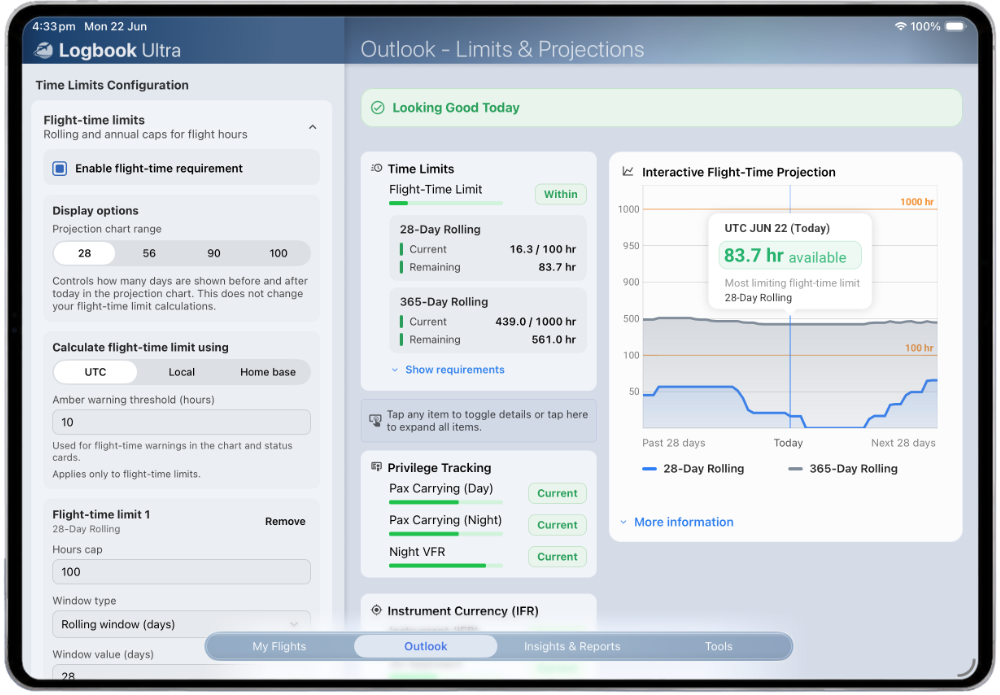
Tracks 100 hours in 28 days and 1,000 hours in 365 days using the CASA Australia preset.
References used in app: CAO 48.1 and CASA MOS fatigue rules.CASA PILOT LOGBOOK
Built for Australian airline pilots, commercial pilots, private pilots, instructors, and student pilots who want a modern digital pilot logbook for iPhone and iPad with limits and projections, PDF reports, imports, backups, and professional record keeping.
AUSTRALIAN PILOT LOGBOOK
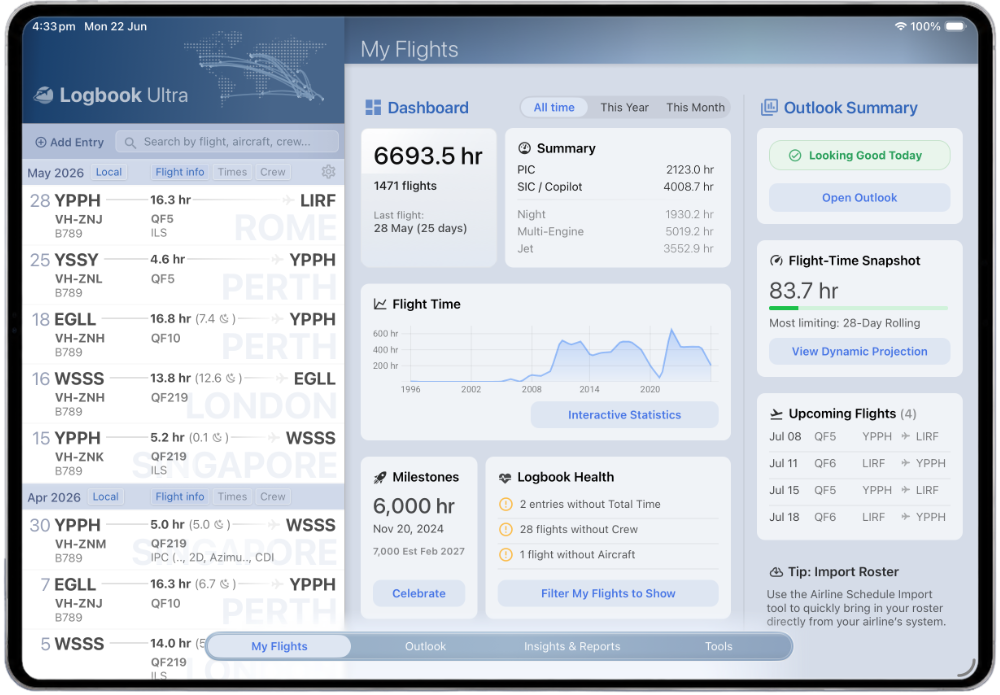
Our unique Insights feature turns your logbook into an interactive report. Instead of exporting a static summary, you can explore your flying dynamically by filtering charts, totals, crew, aircraft, routes, destinations, and experience categories. Every chart, total, and list updates automatically as selections change, helping answer questions such as multi-engine PIC at night, PIC time on a specific aircraft type, flights with particular crew members, or experience at selected destinations.
CASA OPERATING RULES
Logbook Ultra includes a CASA (Australia) preset designed to help monitor their selected flight-time, passenger recency, Night VFR, IFR, approach, and single-pilot IFR references.
Limits and projections turn your logbook into a forward-looking tool. Instead of waiting until you need a report, Logbook Ultra can show whether selected recency and flight-time rules are tracking normally, approaching limits, or need attention.
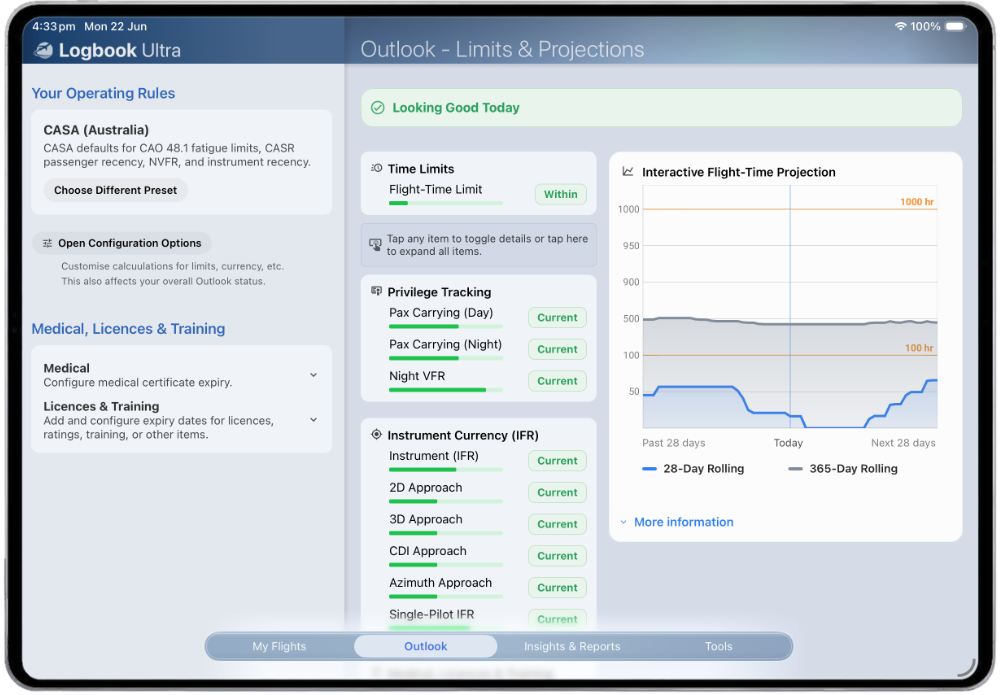
Tracks 100 hours in 28 days and 1,000 hours in 365 days using the CASA Australia preset.
References used in app: CAO 48.1 and CASA MOS fatigue rules.Tracks day passenger-carrying recency using 3 takeoffs and 3 landings in a 90-day window, with simulator credit enabled by default in the CASA preset.
Reference: CASR 61.395-61.400.Tracks night passenger-carrying recency using 3 night takeoffs and 3 night landings in a 90-day window.
References: CASR 61.395 and CASR 61.965.Tracks Night VFR recency using at least 1 night takeoff and 1 night landing within a 6-month window.
Reference: CASR 61.965.Tracks instrument approach recency, including 3 approaches in a 90-day window, with simulator credit enabled in the CASA preset.
Reference: CASR 61.870.Tracks 2D approach, 3D approach, azimuth guidance, and CDI approach recency using 90-day windows.
Reference: CASR 61.870.Tracks single-pilot IFR experience using a 6-month window, including 1 hour instrument time and 1 approach.
Reference: CASR 61.875.CASA FLIGHT-TIME LIMITS
Logbook Ultra projects scheduled flying against the CASA Australia preset, helping pilots see flight-time availability and potential limit issues before they occur.
Flight-time limit tracking is designed for supported CASA configurations and should be reviewed against your operation's requirements.
References used in app: CAO 48.1 and CASA MOS fatigue rules.
CASA PDF LOGBOOK
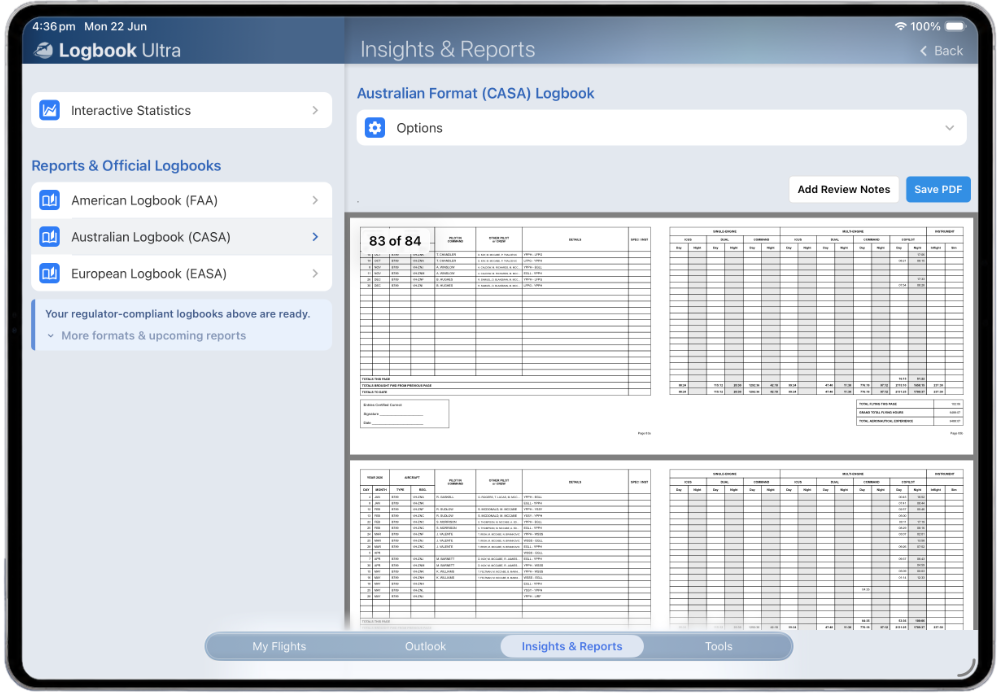
Create professional Australian logbook-style PDF reports directly from your digital records.
Logbook Ultra can generate CASA-style PDF logbook reports with previous experience carry-forward, simulator support, certification options, page numbers, decimal-hour display, and preview before export.
The CASA-style report separates time into Australian logbook-style buckets including single-engine and multi-engine command, dual, ICUS, copilot, day, night, instrument in-flight, instrument simulated, simulator, and instructor/special time.
SMART VALIDATION
Logbook Ultra does more than export a table.
Before generating a CASA-style PDF, Logbook Ultra runs a preflight consistency check to compare each entry’s total time against the role-time buckets used in the report. It can highlight entries that may need review, identify possible duplicated role allocations, and recommend the ICUS handling mode that best matches the pilot’s original logbook convention.
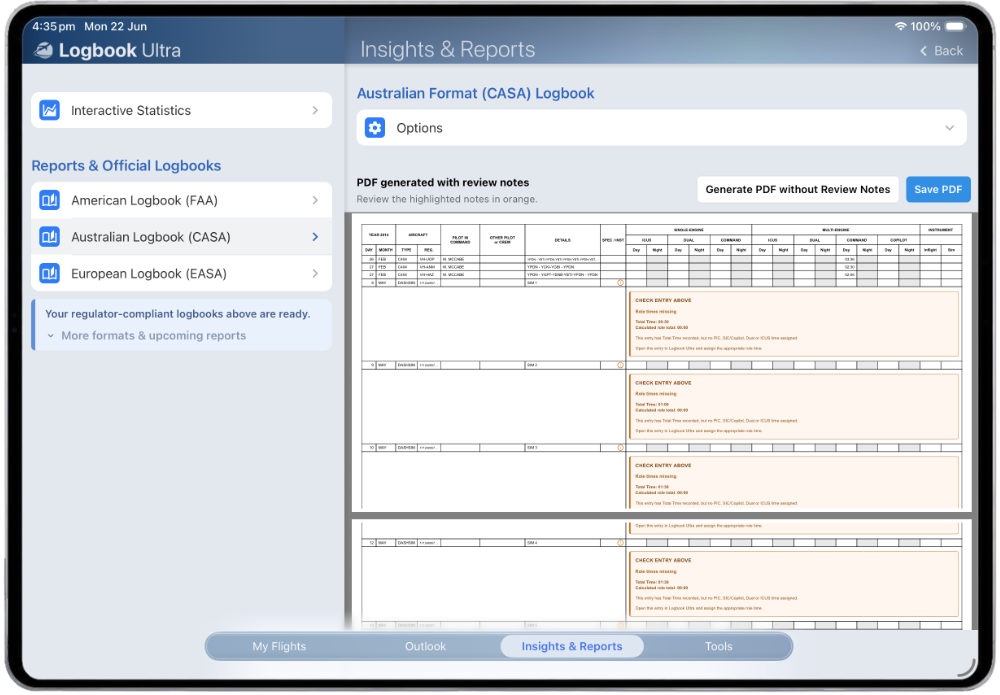
Pilots can generate a PDF with orange review notes beside affected entries, or generate the report without review notes if they choose. This is designed to make migration and report preparation clearer, especially when older logbooks or imported data use different conventions.
ICUS HANDLING
Australian logbooks do not always record ICUS and copilot time the same way, especially when data comes from older records, spreadsheets, airline exports, or combined-sector entries. Logbook Ultra supports two ICUS interpretations for CASA-style PDF reporting.
Default mode. Treats ICUS as overlapping SIC / copilot time when both are recorded on the same entry, helping avoid double-counting the same block of flight time.
Optional mode. Treats ICUS as additional to SIC / copilot time, which can better match some older, imported, or combined logbook conventions where ICUS was recorded separately.
Flexible ICUS handling helps pilots migrate historical Australian logbooks without losing the meaning of the original entries.
LOGBOOK MIGRATION
Logbook Ultra is designed for pilots who already have flying history. You can import from spreadsheets, LogTen Pro, SafeLog, supported logbook formats, and airline-specific import tools where available.
Move existing flight history from structured spreadsheet data into Logbook Ultra instead of starting again.
Move existing LogTen Pro history into Logbook Ultra so your records can continue with previous flights, totals, aircraft, crew, and reportable experience.
Supported airline roster imports can help turn upcoming and completed rostered flying into structured logbook entries.
Carry forward previous logbook experience so generated reports and lifetime totals reflect your earlier flying.
REGULATION REFERENCES
The CASA (Australia) limits and projections preset is configured around selected Australian flight crew licensing and operating-rule references. These references are shown to help pilots understand what the app is monitoring, not as a substitute for legal interpretation or operator procedures.
Logbook Ultra helps pilots monitor selected rules and prepare professional reports, but responsibility for regulatory compliance remains with the pilot and operator. Always confirm current requirements against CASA, your operator, and any applicable approvals or exemptions.
CASA PILOT LOGBOOK
Start free with up to 75 hours and explore CASA-style PDF reporting, limits and projections, Insights, airline imports, previous experience, and the professional tools built into Logbook Ultra for iPhone and iPad.
Start free