
Manual formulas
Totals depend on formulas being correct, copied properly, and updated when columns change.
PILOT LOGBOOK SPREADSHEET ALTERNATIVE
Before building your logbook in Excel, consider a dedicated pilot logbook app designed to handle calculations, reports, recency, imports, and backups automatically.
WHY PILOTS START WITH SPREADSHEETS
Spreadsheets are familiar, flexible, and often free. For a new pilot, an Excel logbook can feel like a simple way to record dates, aircraft, routes, flight time, landings, instrument time, night time, and remarks.
But as your logbook grows, the spreadsheet becomes more than a list of flights. It becomes a calculation system, reporting tool, backup plan, currency tracker, and long-term aviation record. That is where spreadsheets start to become fragile.
WHEN LOGBOOKS GROW
Totals depend on formulas being correct, copied properly, and updated when columns change.
Passenger recency, IFR currency, night recency, and rolling limits usually need separate calculations or tabs.
Preparing a clean PDF logbook for interviews, licence applications, or operator checks can become a manual formatting job.
Aircraft names, airport codes, crew names, approaches, and time categories can drift over years of manual entry.
A spreadsheet is only as safe as the backup system around it.
The longer a spreadsheet grows, the more important structured data becomes if you later move into a professional logbook.
SPREADSHEET VS LOGBOOK ULTRA
| Area | Spreadsheet | Logbook Ultra |
|---|---|---|
| Entry structure | Manual columns | Structured logbook entries |
| Totals | Formula-based | Automatic totals |
| Dashboard | Manual charts | Interactive Dashboard |
| Recency | Manual tracking | Outlook tracking |
| Reports | Manual formatting | Built-in PDF reports |
| Imports | Manual copy/paste | Spreadsheet, LogTen, and airline import workflows |
| Backups | User-managed | Built-in backup tools |
| Growth | More complex over time | Designed to scale with your flying |
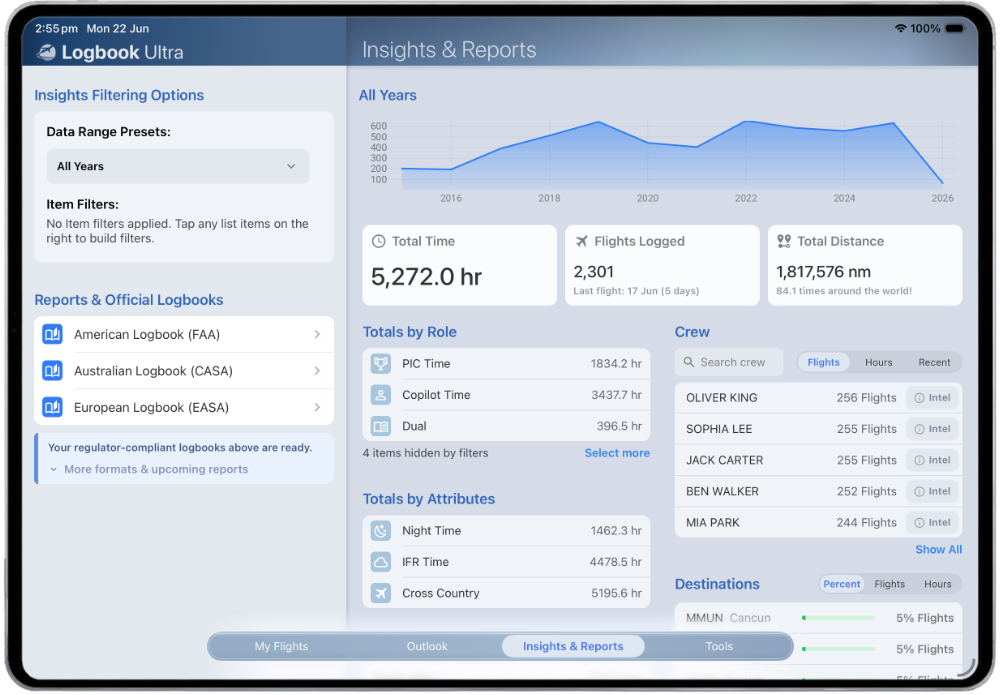
A spreadsheet can record flights. Logbook Ultra is designed to turn those flights into useful information: totals, trends, recency, reports, imports, and planning tools.
Logbook Ultra handles the work that often turns a pilot logbook spreadsheet into a collection of formulas, helper tabs, and manual checks.
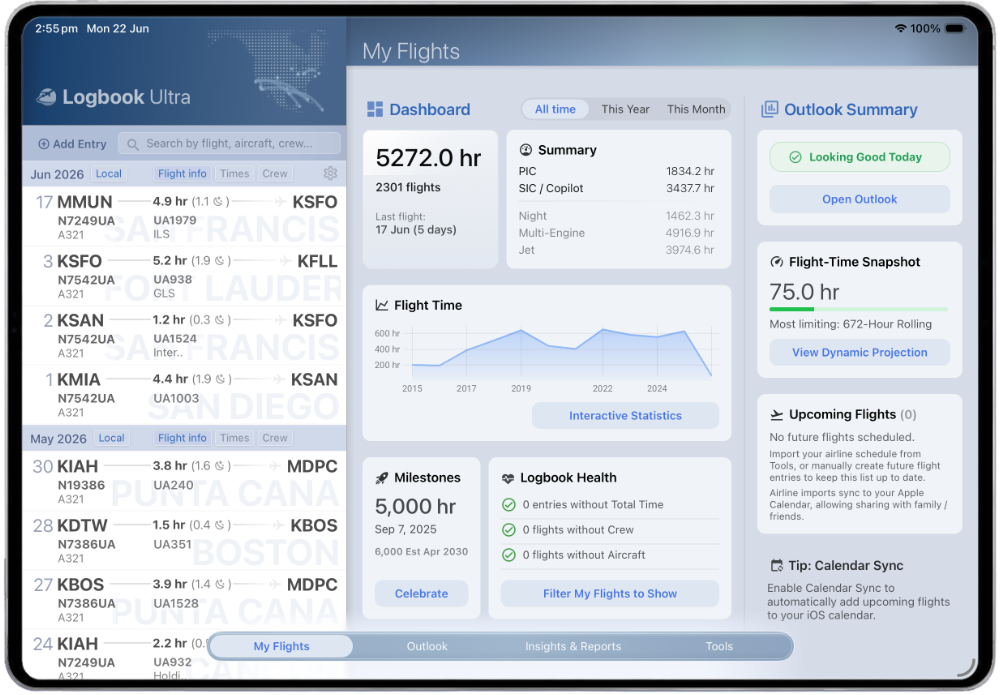
Track total time, PIC, SIC, dual, night, instrument, simulator, cross-country, landings, aircraft, routes, and more without rebuilding formulas.
See your flying history, totals, recent activity, upcoming flights, and logbook health in a visual dashboard.
Monitor selected recency, currency, and flight-time limits with forward-looking status instead of manually checking spreadsheet tabs.
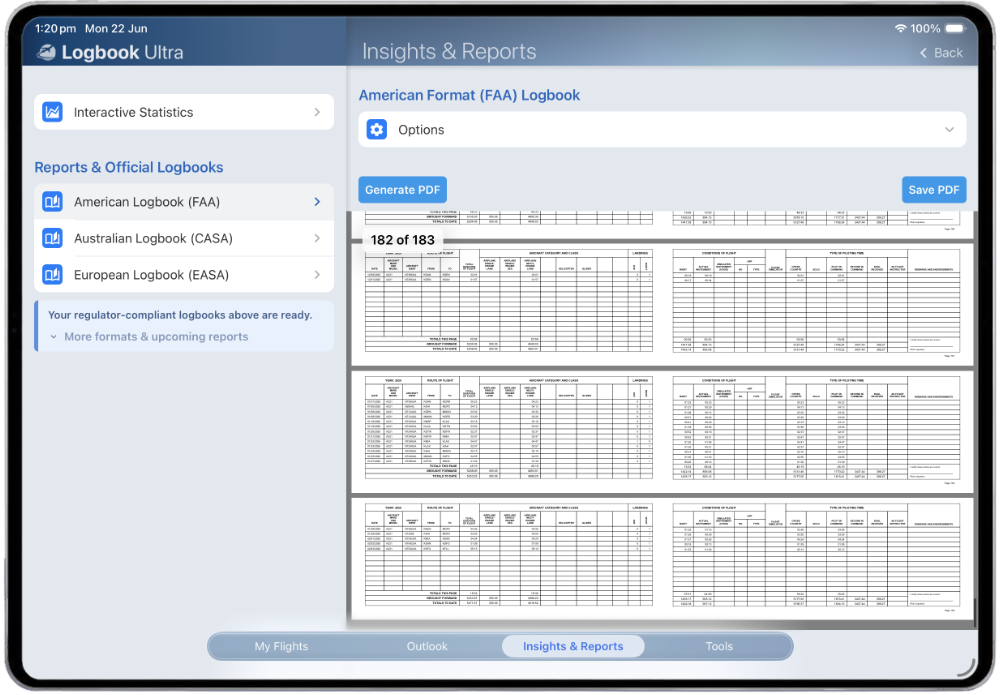
Generate CASA-style, FAA-style, and EASA-style PDF logbook reports when you need printable records.
Import from structured spreadsheet data, LogTen Pro exports, and supported airline sources instead of typing everything manually.
Sync supported flights and duties to your calendar so your flying is visible outside the app.
START FREE BEFORE BUILDING A SPREADSHEET
Many pilots search for a spreadsheet because they want a low-cost way to begin. Logbook Ultra lets you start free with up to 75 hours, so you can try a dedicated digital pilot logbook before committing years of flying to a spreadsheet.
ALREADY USING A PILOT LOGBOOK SPREADSHEET?
If you already have flight history in a spreadsheet, you do not need to start again. Logbook Ultra includes import workflows designed to help move structured spreadsheet data into your digital logbook.
Guide Import Your Existing Pilot Logbook Bring your existing flight history across and continue from where you are, with structured entries, automatic totals, reports, and dashboards.
WHO THIS IS FOR
If you only need a temporary list of flights, a spreadsheet may be enough. If you want your logbook to grow with your training, career, reporting, and recency needs, Logbook Ultra is the better long-term foundation.
DIGITAL PILOT LOGBOOK APP
Start free with up to 75 hours and see how Logbook Ultra handles totals, dashboards, reports, recency, imports, and backups without spreadsheet maintenance.
Start free Explore Logbook Ultra