
LOGTEN PRO ALTERNATIVE

The smarter alternative to LogTen Pro

Logbook Ultra gives pilots an integrated iPhone and iPad workflow for roster imports, limits, analytics, reports and migration.

Instead of building complex groups or searching through large report libraries, the information most pilots need is placed directly into the Dashboard, Insights and Outlook / Limits & Projections screens.

Built for pilots who want to understand their logbook quickly and act on what matters next.

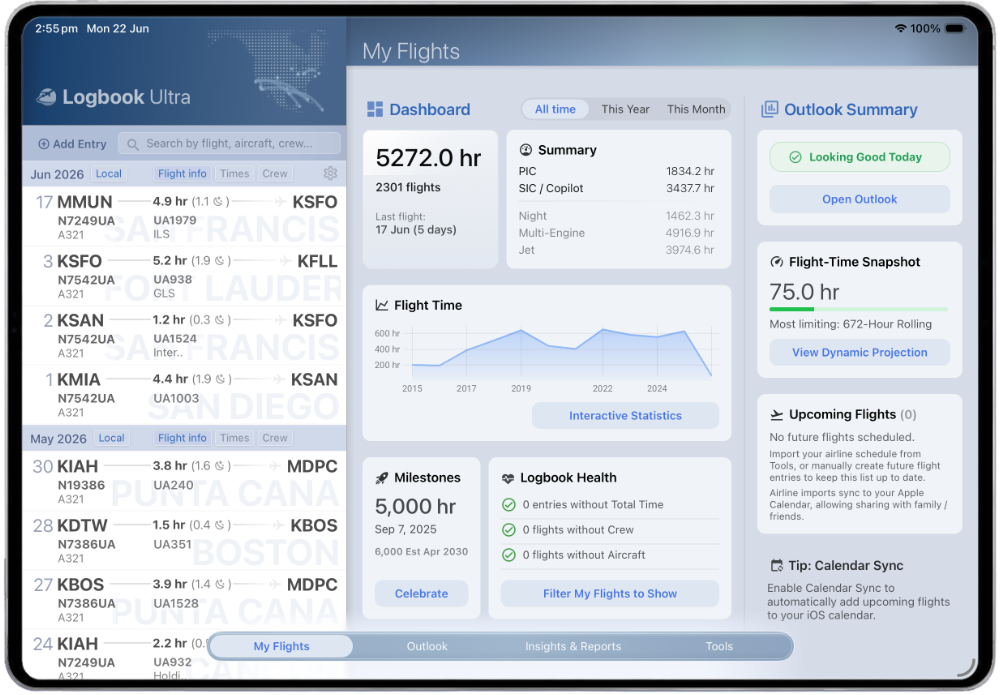
Logbook Ultra pilot logbook Dashboard showing flight totals, upcoming flights and recent activity on iPad.
Your flying, trends and upcoming activity in one clear view.

WHY PILOTS COMPARE

Why pilots consider a LogTen alternative.

LogTen is a mature and capable professional logbook. Its flexibility, Smart Groups and extensive reporting work well for pilots who want deep configuration.

Other pilots find that the same flexibility creates too much setup, too many groups and too much time spent finding the right report.

OUTLOOK: LIMITS & PROJECTIONS

Limits and currency without building Smart Groups.

LogTen can track limits and currencies through configurable groups. That flexibility is useful, but it can also require pilots to create, organise and maintain the right groups before the information becomes useful.

Logbook Ultra places selected operating rules directly into its dedicated Limits & Projections screen.

Flight-time limits, passenger recency, IFR currency, night operations and other configured requirements appear as clear status cards, progress indicators and rolling charts.

Important limits should be visible, not hidden behind configuration.

Logbook Ultra supports pilot awareness and planning. Pilots remain responsible for checking applicable regulations, company systems and official records.
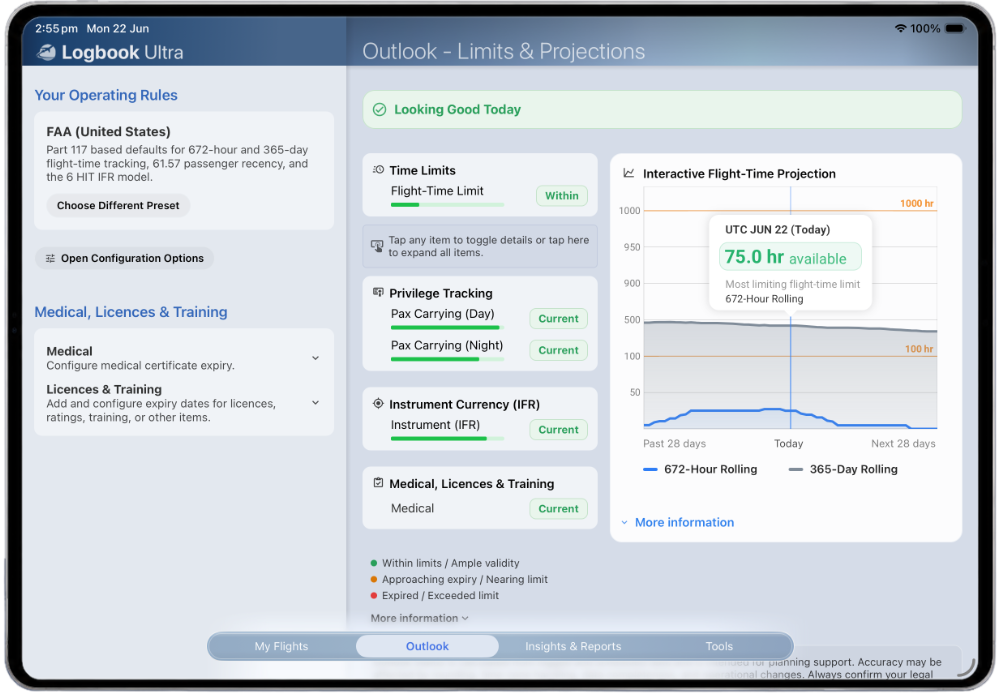
Logbook Ultra Limits and Projections dashboard showing rolling flight-time limits and pilot currency on iPad.
See selected limits, recency and projected status from one workspace.

INTERACTIVE INSIGHTS

Focused reports that are easier to use.

LogTen offers a very large report library. For pilots who rely on a particular LogTen template or custom report, that breadth may remain valuable.

Logbook Ultra takes a more focused approach.

  • How has my flying changed this year?
  • Which aircraft have I flown most?
  • Who have I flown with recently?
  • Which routes or airports appear most often?
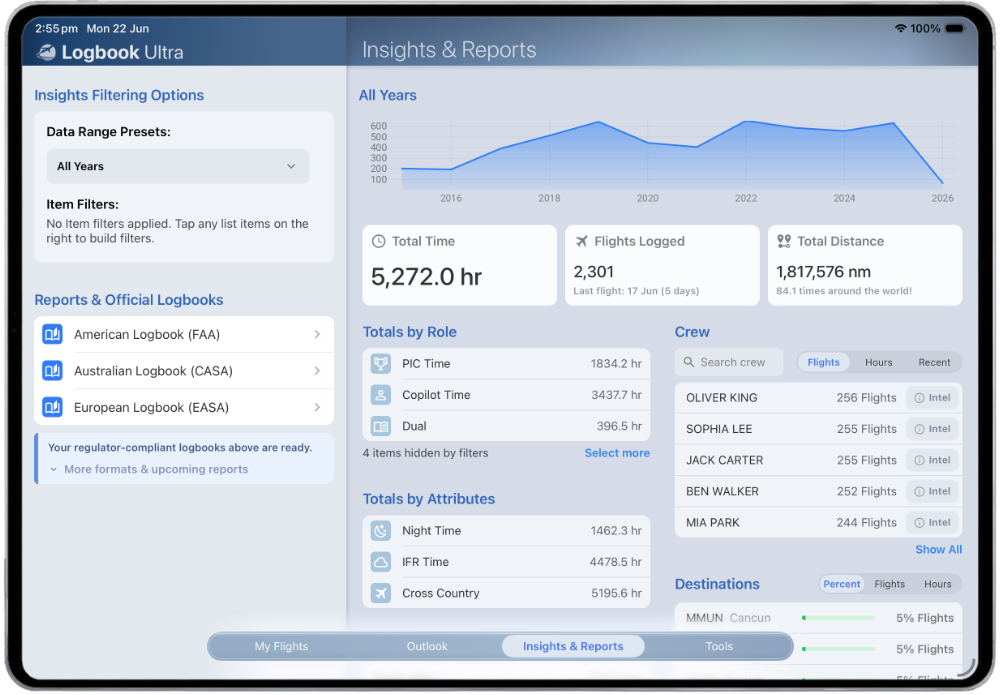
Logbook Ultra interactive Insights showing pilot logbook trends, aircraft and flight analysis on iPad.
Explore the logbook dynamically instead of producing another static report.

Interactive Insights

Explore flying trends, aircraft, routes and time periods without generating a PDF.

Crew Intel

Review frequent crew, shared flying history, recent pairings and private crew notes.

Flight-level exploration

Move from a result back to the entries behind it and understand how a total was created.

LOGTEN MIGRATION

Move your LogTen records without starting again.

Logbook Ultra includes a dedicated LogTen import workflow for supported export data.

Historical flight records, aircraft, crew, routes, times and other supported fields can be brought into the new logbook, then checked against the original source.

Our importer has been refined over hundreds of LogTen imports to bring your flight data across accurately. If you get stuck at any point, we're here to help.

Step 1

Keep a complete backup

Retain the original LogTen database, export files and important reference reports.

Step 2

Export from LogTen Pro

Follow our simple in-app instructions to export your data from LogTen Pro.

Step 3

Import and review

Import your data, then review the import log for full information on your import.

Step 4

Confirm your totals

Take a moment to confirm your overall totals and key categories match your previous logbook, and you're ready to fly with Logbook Ultra.

Keep your original LogTen records Do not delete the source logbook, backups or export files after the first successful import.
Learn about importing your pilot logbook
Logbook Ultra LogTen import workflow for transferring existing pilot logbook records.
Import supported LogTen data, then verify the records and totals.

FAQS

LogTen Pro alternative FAQs.

Can I import my LogTen logbook into Logbook Ultra?

Yes. Logbook Ultra includes a dedicated import workflow for supported LogTen export data. Keep the original LogTen database and export files, then compare entries and totals after migration.

Does Logbook Ultra import airline rosters without a Mac?

Yes. Supported airline flights and duties can be imported directly within the Logbook Ultra iPhone or iPad app. If your airline isn’t supported yet, get in touch and we’ll make it happen.

Does Logbook Ultra use Smart Groups?

Logbook Ultra uses a different approach. Common totals, trends, limits and currencies are presented through the Dashboard, Insights, filters and Limits & Projections screens rather than requiring pilots to create and organise Smart Groups first.

Does Logbook Ultra have as many reports as LogTen?

No. LogTen advertises a much larger report library. Logbook Ultra instead uses interactive Insights for everyday analysis and provides focused professional workflows for supported FAA, CASA and EASA reports.

TRY LOGBOOK ULTRA

Try a logbook built around the way you use your data.

Logbook Ultra is designed to make professional logbook information easier to import, understand, monitor and report.

Start with the free tier, explore the Dashboard, Insights and Limits & Projections screens, and test your supported workflow before deciding whether to move.

Download Logbook Ultra Explore logbook imports
Modern iPhone and iPad workflow Logbook Ultra Insights and Dashboard screens showing pilot logbook analytics, totals and report options. Download on the App Store